The Complete Website Redesign Checklist (2026)
Everything you need to do before, during, and after a website redesign — organized into phases so nothing falls through the cracks.
Introduction
Website redesigns fail for one reason more than any other: people skip steps.
They jump straight into picking colors without auditing what they have. They launch without setting up redirects and watch their SEO rankings drop overnight. They forget to test on mobile and discover it on launch day.
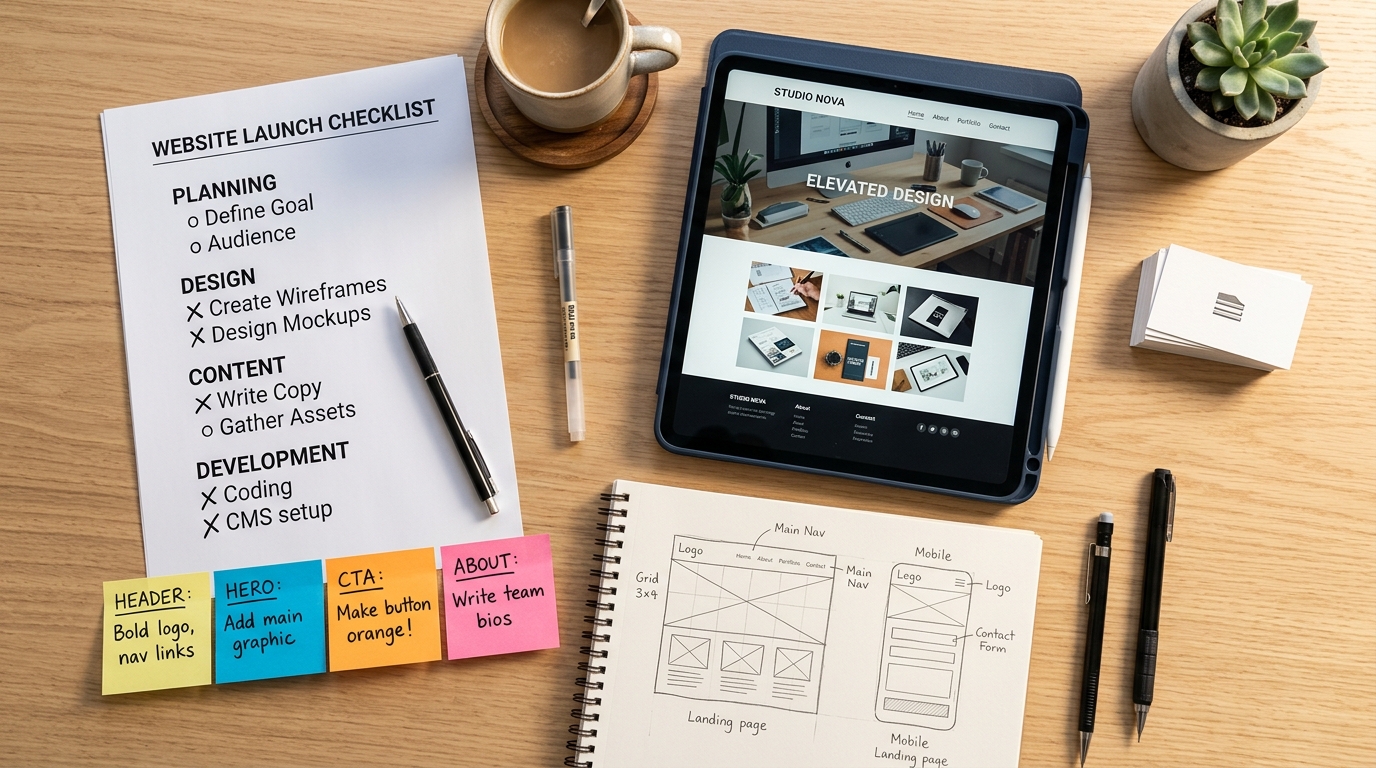
This checklist covers every phase of a redesign in the order things actually need to happen. Whether you're doing it yourself, using AI tools, or hiring a professional — work through this before you touch anything.
Phase 1: Audit What You Have
Don't start redesigning until you know what's working and what isn't. Redesigning without data is guessing with money.
Benchmark Your Current Numbers
Pull these metrics and save them. You'll need them to measure if the redesign actually worked.
- [ ] Monthly traffic (total sessions, unique visitors)
- [ ] Traffic sources breakdown (organic, direct, paid, referral, social)
- [ ] Bounce rate — overall and for your top 10 pages
- [ ] Conversion rate — whatever your primary action is (form fills, purchases, bookings)
- [ ] Average session duration
- [ ] Top 20 pages by traffic
- [ ] Core Web Vitals scores (LCP, CLS, INP) from PageSpeed Insights
- [ ] Mobile vs desktop traffic split
Where to get this: Google Analytics for traffic and conversions. Search Console for search performance. PageSpeed Insights for performance scores.
Shortcut: Run your site through Redesignr's free audit for an AI-scored breakdown of design, UX, content, and SEO in one report.
Identify Your Best Pages
- [ ] List every page that gets meaningful organic traffic
- [ ] List every page with backlinks (check Ahrefs, Semrush, or Search Console)
- [ ] List every page with a strong conversion rate
These pages are protected. Don't change their URLs. Don't dramatically alter their content. The redesign should make them look better — not break what's working.
Define One Clear Goal
A redesign that tries to improve everything improves nothing. Pick one primary objective:
- [ ] Increase conversion rate from X% to Y%
- [ ] Reduce bounce rate by X%
- [ ] Improve mobile usability score
- [ ] Modernize the visual brand
- [ ] Improve page load speed to under 2 seconds
Write it down. Every decision during the redesign gets filtered through this goal.
Phase 2: Plan the Structure
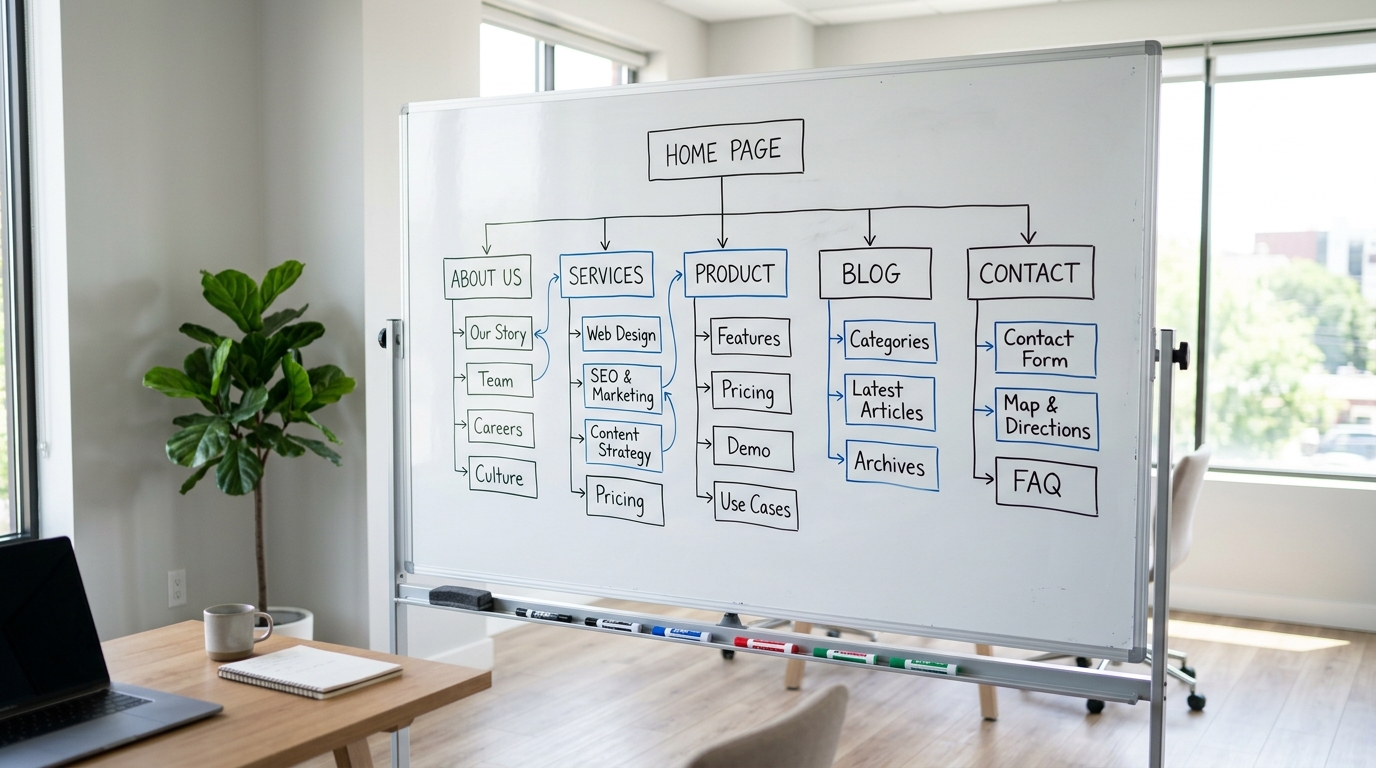
Before anyone opens a design tool, figure out what pages you're building and how they connect.
Content Inventory
Go through every page on your current site and categorize it:
- [ ] Keep as-is: High-performing pages that just need a visual refresh
- [ ] Rewrite: Pages where structure is fine but content is outdated
- [ ] Merge: Multiple thin pages that should be combined into one stronger page
- [ ] Delete: Pages with no traffic, no backlinks, and no business value (redirect these)
Sitemap
- [ ] Draft a sitemap showing every page and how they connect
- [ ] Limit main navigation to 5–7 items max
- [ ] Ensure every important page is reachable within 2 clicks from the homepage
- [ ] Plan your footer navigation
URL Structure
- [ ] Decide if any URLs need to change (try hard to keep them the same)
- [ ] If URLs must change, create a redirect map: old URL → new URL
- [ ] Keep URLs short, descriptive, and lowercase
- [ ] Use hyphens, not underscores
Phase 3: Design
This is where most people start — and it's too early. By the time you get here, you should already know your goal, your content, and your structure.
Visual Direction
- [ ] Define your color palette: 1 primary, 1 secondary, 2–3 neutrals
- [ ] Choose a font pairing: one for headings, one for body text
- [ ] Decide on imagery style: photography, illustration, or mixed
- [ ] Set button styles: shape, size, colors, hover states
- [ ] Set spacing standards: consistent section padding, card padding, margins
Homepage
Your homepage needs to answer three questions immediately, above the fold:
- [ ] What does this business do?
- [ ] Who is it for?
- [ ] What should I do next? (CTA)
Also check:
- [ ] Hero section has a clear headline + one CTA
- [ ] Social proof appears within the first scroll (testimonials, logos, numbers)
- [ ] Navigation is clean and not cluttered
- [ ] No heavy carousels or auto-playing video
Interior Pages
- [ ] About page is current (team photos, company story, values)
- [ ] Service/product pages have clear descriptions and CTAs
- [ ] Contact page has multiple ways to reach you (form, email, phone, address)
- [ ] Blog pages have a clean, scannable layout
- [ ] 404 page is helpful (not a dead end)
AI Design Option
If you don't have a designer or want to move fast:
- [ ] Paste your URL into Redesignr for an AI-generated redesign
- [ ] Use the output as your design reference or starting point
- [ ] Compare the AI result against your current site to identify the biggest gaps
Phase 4: Technical & SEO
This is the phase that prevents your redesign from killing your search rankings. Don't skip it.
Redirects
- [ ] Create a complete redirect map (every old URL → new URL)
- [ ] Implement 301 redirects (permanent, not 302)
- [ ] Test every redirect before launch
- [ ] Don't redirect everything to the homepage — redirect to the most relevant equivalent page
- [ ] No redirect chains (A → B → C) — redirect directly to the final destination
On-Page SEO
- [ ] Every page has a unique title tag (under 60 characters)
- [ ] Every page has a unique meta description (under 155 characters)
- [ ] Heading hierarchy is correct (one H1 per page, logical H2/H3 nesting)
- [ ] Images have descriptive alt text
- [ ] Internal links are working and point to the right pages
Technical SEO
- [ ] XML sitemap is generated and ready to submit
- [ ] Robots.txt is configured correctly (not blocking important pages)
- [ ] Schema markup is in place (Organization, LocalBusiness, FAQ as relevant)
- [ ] HTTPS is enabled across the entire site
- [ ] Canonical tags are set on paginated and filtered pages
Performance
- [ ] All images are compressed (WebP format preferred)
- [ ] CSS and JavaScript are minified
- [ ] Lazy loading is enabled for below-the-fold images
- [ ] No render-blocking resources
- [ ] CDN is configured
- [ ] Target: PageSpeed mobile score of 90+
Phase 5: Content Migration
Moving content from old to new is where things break.
Copy
- [ ] All page content has been migrated
- [ ] Contact information is correct and current
- [ ] Prices, dates, and statistics are up to date
- [ ] Legal pages (Terms, Privacy Policy) are current
- [ ] Copyright year is updated
Media
- [ ] All images are migrated and displaying correctly
- [ ] No broken image links
- [ ] Videos are embedded and playing
- [ ] Downloads/PDFs are linked and accessible
- [ ] Favicon is updated
Forms and CTAs
- [ ] All forms submit correctly
- [ ] Form confirmation/thank-you pages are set up
- [ ] Email notifications are working
- [ ] CTAs link to the correct destinations
Phase 6: Pre-Launch Testing
Test everything. Then test again on a different device.
Cross-Device Testing
Test on at least:
- [ ] iPhone (Safari)
- [ ] Android phone (Chrome)
- [ ] iPad or Android tablet
- [ ] Desktop at 1440px width
- [ ] Desktop at 1920px width
- [ ] An older smartphone (3+ years old)
Functionality
- [ ] All navigation links work
- [ ] All buttons lead where they should
- [ ] Forms submit correctly
- [ ] Search works (if applicable)
- [ ] E-commerce checkout works end-to-end (if applicable)
- [ ] Third-party integrations are connected (analytics, CRM, email, chat)
The Real Person Test
- [ ] Give your phone to someone uninvolved in the project
- [ ] Ask them to complete one task ("find our pricing" or "contact us")
- [ ] Watch silently. Note where they hesitate or get confused
- [ ] If it takes more than 15 seconds, fix the UX before launching
Phase 7: Launch Day
- [ ] Take a full backup of the old site
- [ ] Deploy the new site
- [ ] Activate 301 redirects
- [ ] Submit updated XML sitemap to Google Search Console
- [ ] Verify HTTPS is working on all pages
- [ ] Remove any noindex tags left over from staging (check page source on your top pages)
- [ ] Test 5–10 key pages on mobile immediately after launch
- [ ] Check that all third-party tools are firing (analytics, pixels, chat)
Phase 8: Post-Launch (First 30 Days)
The redesign isn't done when it goes live.
- [ ] Compare traffic against your pre-redesign benchmarks
- [ ] Monitor conversion rate weekly — is it improving?
- [ ] Check for 404 errors in Search Console (missed redirects)
- [ ] Watch bounce rate on key pages
- [ ] Gather informal user feedback — ask 5 customers what they think
- [ ] Fix any mobile issues real users report
- [ ] Run PageSpeed Insights again and address new issues
- [ ] Document what worked for your next redesign cycle

Conclusion
A successful redesign isn't about having the best design — it's about not breaking things in the process.
This checklist protects your SEO, your conversions, and your sanity. Start with the audit. Work through each phase in order. Don't skip the SEO and technical steps even if they feel tedious. And always test on mobile before launching.
If you want a head start, run your current site through Redesignr's audit to see exactly where you stand before you begin.
Redesign websites with Redesignr.io
Paste any URL and get a modern, deploy-ready TailwindCSS redesign in 2 minutes. Free to preview.
