How to Redesign Your Website With AI (From URL to Modern Site in Minutes)
AI can now take your existing website URL and generate a fully modernized redesign in minutes. Here's how it works, what you get, and when it's the right move.
Introduction
Until recently, redesigning a website meant hiring someone, waiting weeks, and spending thousands. The visual layer — fonts, spacing, colors, layout — was expensive to get right.
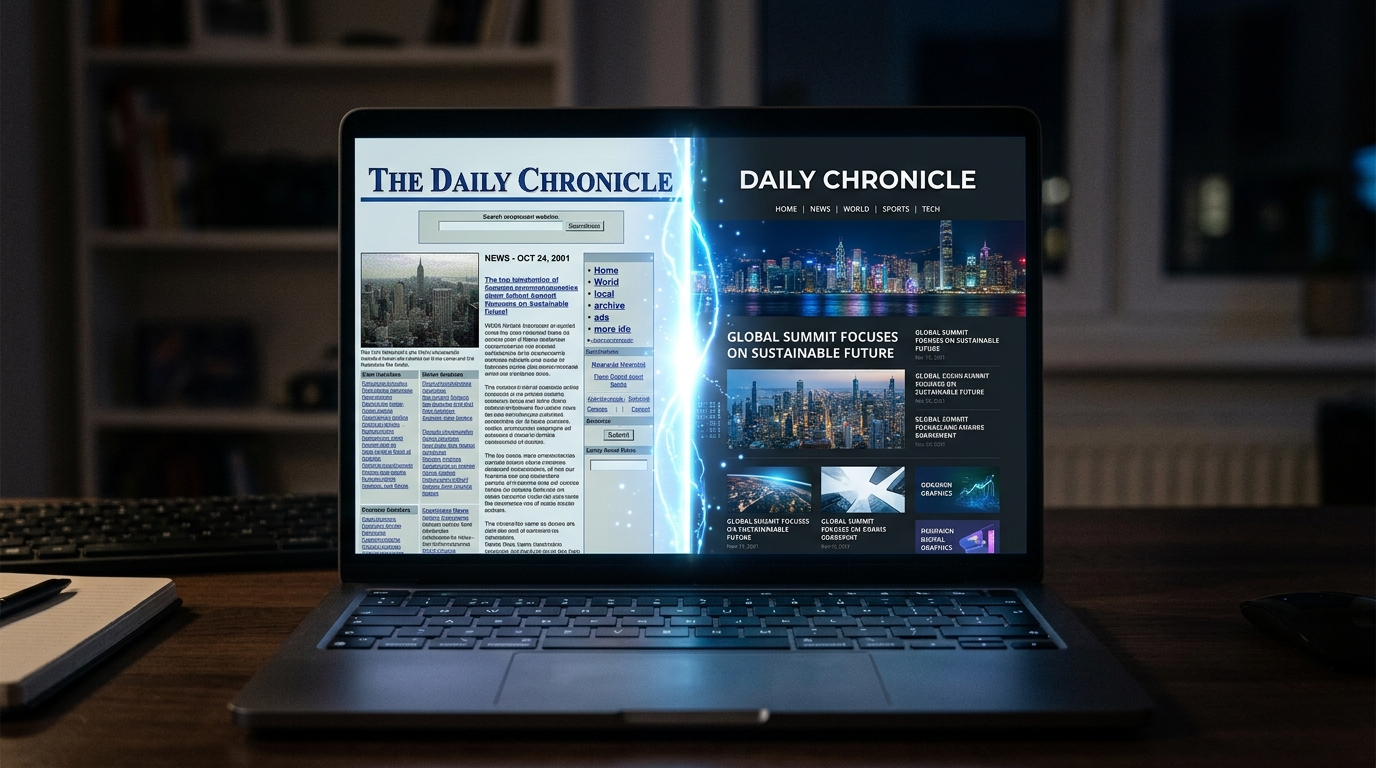
AI has changed that. Specifically, a category of tools called AI redesign tools can now take your existing website URL and generate a fully modernized version of your site in minutes. Same content. Same structure. Completely updated visual design.
Here's how to do it, what to expect, and when it makes sense.
What "Redesigning with AI" Actually Means
There are two different things people mean when they say "AI website redesign":
1. AI website builders (Wix AI, Durable, etc.) — these generate a site from scratch. You type a description of your business and the AI creates something. These are useful if you don't have a website yet.
2. AI redesign tools (like Redesignr) — these take your existing website URL and modernize what you already have. They analyze your current design, content, and structure, then generate an updated version using current design standards.
If you already have a website, you want option 2. Switching to a builder means starting over — losing your content, your SEO rankings, and your brand identity in the process.
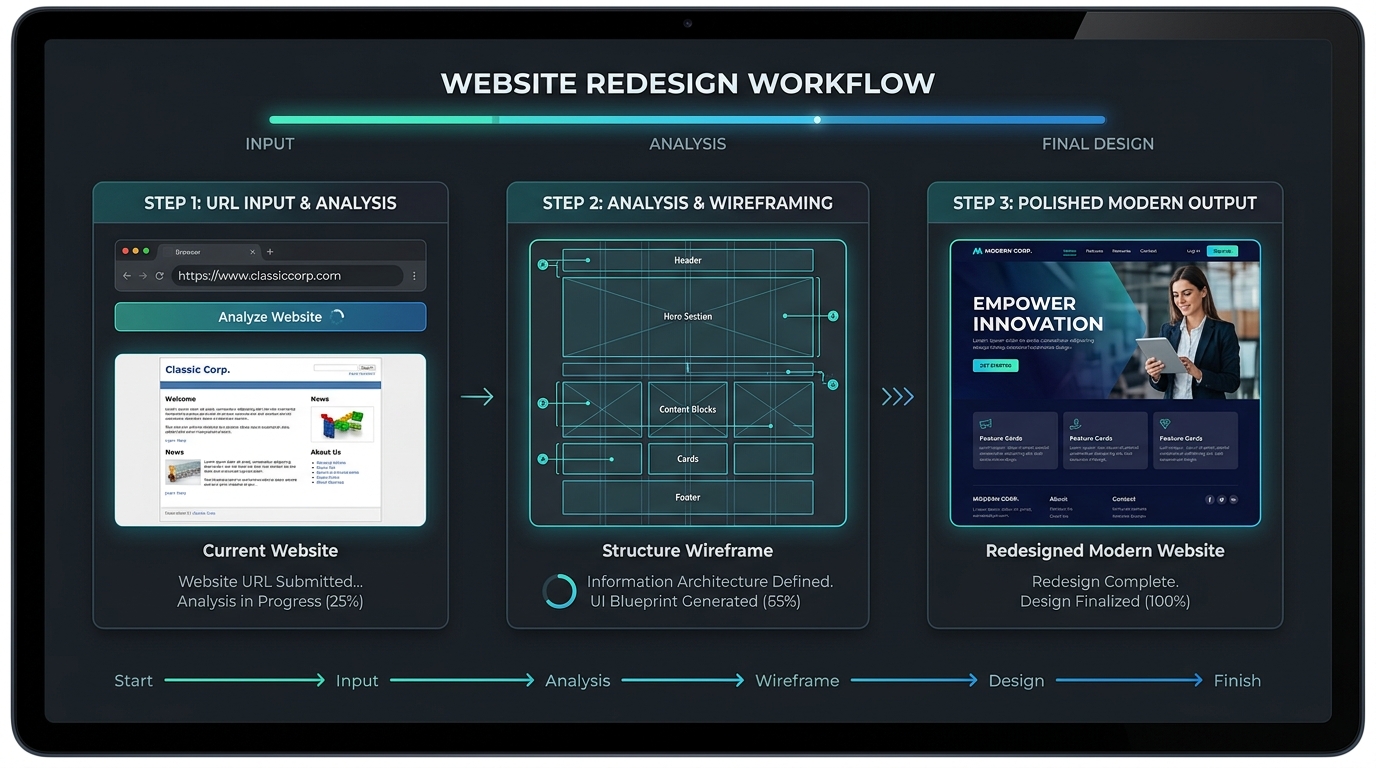
How It Works: Step by Step
Here's exactly what happens when you use an AI redesign tool:
Step 1: You paste your URL That's it. No briefing documents. No questionnaires. No design calls. Just your website address.
Step 2: The AI captures your site The tool visits your website and takes a screenshot, reads your HTML structure, identifies your fonts and colors, and extracts your content — headings, body text, images, CTAs, everything.
Step 3: The AI analyzes the design It evaluates your current site against patterns from thousands of high-performing websites. It checks:
- Is the typography readable at current sizes?
- Is there enough whitespace or is the layout cramped?
- Are CTAs visible and well-placed?
- Does the color palette support the hierarchy or undermine it?
- Is the mobile experience functional or just "technically works"?
Step 4: The AI generates a redesign Based on what it finds, the AI generates a new visual design for your site. It upgrades:
- Typography → modern font pairings at proper sizes
- Spacing → dramatically more whitespace, matching current standards
- Color → cleaned-up palette with more intentional use of accents
- Layout → better visual hierarchy, CTAs in high-converting positions
- Mobile → rebuilt for thumb-based navigation, not just responsive shrinking
Step 5: You review the result You see what the modernized version looks like. If you like it, you can export it. If something's off, you can adjust and regenerate.
What Gets Preserved
This is the most important part for businesses with existing SEO rankings.
When you redesign with AI, your content is preserved — not rewritten. That means:
- Your URLs stay the same (no redirects needed)
- Your heading hierarchy and on-page keywords stay intact
- Your existing page structure is maintained
- Your brand colors and logo are kept as reference points
This is fundamentally different from switching to a new website builder, which would mean losing your SEO equity and rebuilding from scratch.
What AI Redesign Is Good At
Making a dated site look modern. This is the #1 use case. If your site looks like 2020 and you want it to look like 2026, AI handles this extremely well.
Mobile optimization. AI redesign tools don't just make the desktop site responsive — they rethink the mobile layout from scratch.
Conversion improvements. Because AI is trained on high-performing sites, the output naturally follows patterns that guide visitors toward action: clear CTAs, social proof near decision points, logical page flow.
Speed. An AI redesign happens in minutes. A traditional redesign takes 8–16 weeks.
Cost. AI redesign tools typically cost $0–$200. A traditional redesign costs $5,000–$50,000.
What AI Redesign Can't Do
Create new content. If your current site has thin or outdated copy, AI will redesign the visual layer but leave the weak content in place. You still need a copywriter for that.
Build custom functionality. Online booking systems, membership portals, custom calculators, complex e-commerce — these are engineering problems. AI handles design, not development.
Fix structural problems. If your site is missing key pages, has the wrong information architecture, or doesn't address the right audience — those are strategic problems that design alone won't fix.
Replace brand strategy. If you don't know who you're targeting or what makes you different, a modernized design won't clarify that.
Is It Right for Your Situation?
Good fit:
- You have a website that's been around for 2+ years
- The content is solid but the design looks dated
- You have organic traffic you can't afford to lose
- You need results quickly (days, not months)
- Budget is limited or you want to allocate it to marketing
Not a good fit:
- You're starting from scratch with no existing website
- You need a completely new brand identity (not just a visual refresh)
- Your site requires custom functionality that doesn't exist yet
- The problem is your content or strategy, not your visual design
Try It
The fastest way to see if AI redesign is right for your site is to try it.
Go to Redesignr, paste your URL, and see what the modernized version looks like. It takes minutes and the first result is free. You'll know immediately whether it handles what you need — before spending anything.
If it does, you just saved months and thousands of dollars. If it doesn't, you'll have a much clearer picture of what custom work you actually need before you hire someone.
Conclusion
Redesigning a website with AI is genuinely different from hiring a designer or switching to a builder. It's a specific tool for a specific problem: modernizing the visual layer of an existing site while preserving everything underneath.
If your site looks dated, your content is solid, and you don't want to start over — AI redesign is probably the fastest and most cost-effective path forward.
Redesign websites with Redesignr.io
Paste any URL and get a modern, deploy-ready TailwindCSS redesign in 2 minutes. Free to preview.
