How to Modernize an Old Website Without Rebuilding It
Your old website doesn't need to be scrapped. Here's how to bring it into 2026 — from quick CSS fixes to full AI-powered modernization — without starting from scratch.
Introduction
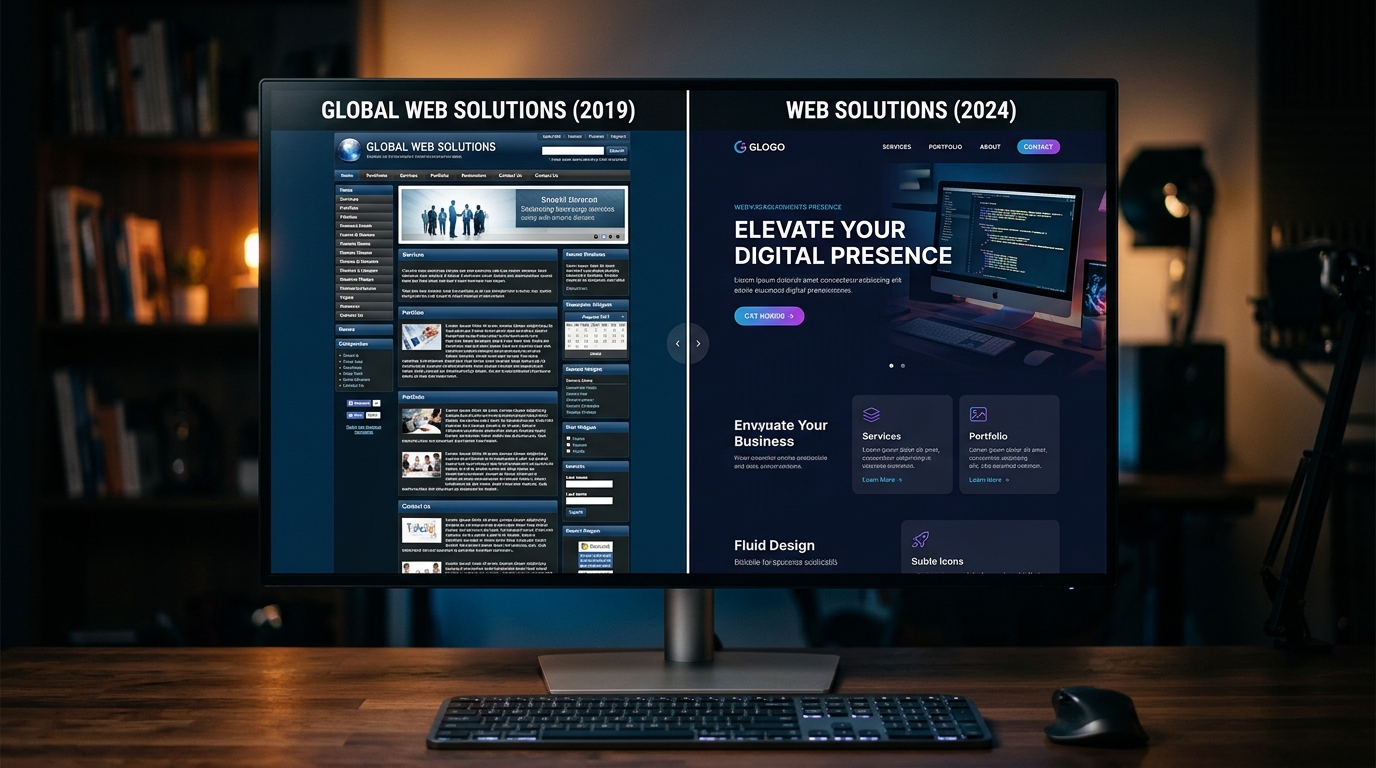
You built your website a few years ago. It served you well. But now it looks like it belongs to a different era — and you know it.
The instinct is to tear it down and start over. Hire a designer, wait two months, spend $10,000+. Sometimes that's the right move. But most of the time, it's overkill.
Your old website has things worth keeping — content that ranks in Google, a structure your customers understand, brand elements that work. The goal isn't to throw all that away. It's to modernize the presentation while preserving what already works.
Here's how to do that.
First: Know What "Modern" Actually Means in 2026
Before you touch anything, you need a target. "Modern" isn't just subjective — there are measurable patterns that separate a 2026 website from a 2020 one.
Typography
- Body text at 16px minimum (18px is becoming the standard)
- Modern fonts: Inter, Geist, Satoshi, Plus Jakarta Sans
- Strong contrast between heading and body sizes
- Line height of 1.5–1.75 for body text
Spacing
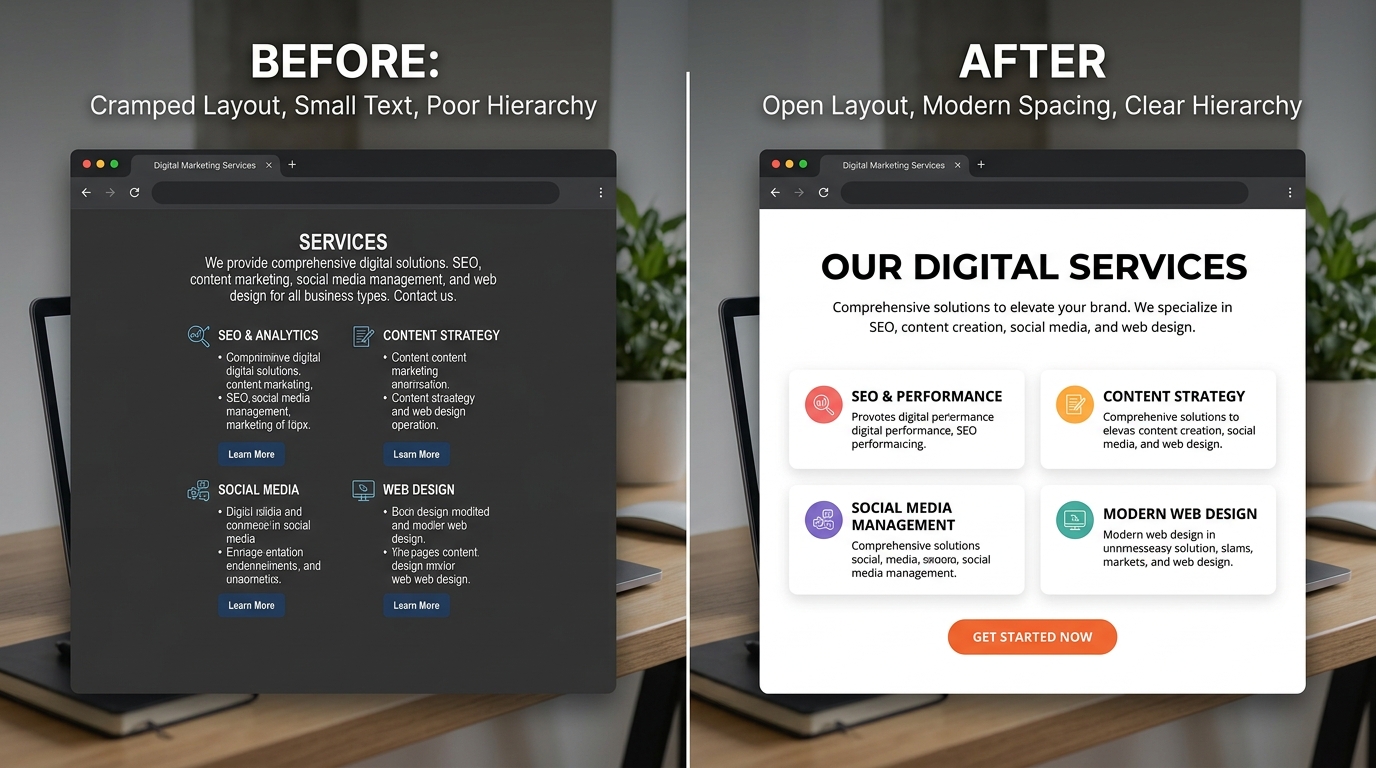
- Significantly more whitespace between sections than what felt normal 5 years ago
- Content blocks that breathe, not cramped together
- Generous padding inside cards, buttons, and containers
Color
- One or two primary colors used intentionally, not five competing colors
- Subtle gradients and soft shadows instead of hard drop shadows
- Dark mode support is increasingly expected
Layout
- Mobile-first (not a shrunken desktop)
- Clear visual hierarchy that guides the eye
- CTAs that stand out without being garish
- Social proof and trust signals visible early
Performance
- Page load under 3 seconds
- Core Web Vitals passing: LCP, CLS, INP
Pull up your site next to any recent Y Combinator startup or well-funded SaaS. The gap between their patterns and yours is what modernizing means.
The Three Approaches
There are three paths, each with different tradeoffs. Pick the one that matches your budget, timeline, and comfort level.
Approach 1: Quick Visual Fixes (Free – $200)
If your site's structure is solid but the visual layer feels dated, you can make meaningful improvements without touching the layout.
Typography swap Replace your fonts with a modern pairing. If you're on WordPress, install a fonts plugin and switch to Inter for body text. This single change makes a dramatic difference.
Color cleanup Reduce your palette. One strong brand color for CTAs, one neutral for backgrounds, two grays for text hierarchy. Remove competing colors.
Spacing increase Add more padding to every section. If sections have 40px padding, bump it to 80px. If cards have 16px padding, go to 24px. More space = more modern.
Image refresh Replace dated stock photos with better ones. Unsplash and Pexels have significantly improved their catalogs.
Button refresh Swap old-style buttons (sharp corners, gradient fills, heavy drop shadows) for modern ones — rounded corners, solid fills, subtle hover states.
Best for: Sites that are structurally fine but look a few years behind. DIY-comfortable users. Budget under $200.
Timeline: A weekend of focused work.
Approach 2: AI Modernization (Free – $200)
This is the approach that changed the game in 2026. AI tools analyze your existing website and generate a fully modernized version — preserving your content and structure while upgrading the visual layer.
How it works with Redesignr:
- Go to Redesignr
- Paste your website URL
- The AI screenshots your site and analyzes the layout, content, colors, typography, and structure
- It generates a redesigned version using current design standards
- You review the result
What the AI changes:
- Typography → modern font pairings
- Spacing → contemporary standards
- Color palette → cleaner and more cohesive
- Visual hierarchy → restructured for better readability
- CTAs → positioned based on patterns from high-performing sites
- Mobile layout → rebuilt, not just shrunk
What it preserves:
- Your existing content and copy
- Your page structure
- Your brand identity and color direction
- Your images and media
Best for: Anyone who wants professional results without learning design or spending weeks on manual changes.
Timeline: Minutes.
Pro tip: Run your site through Redesignr's free audit first. It scores your site across visual design, UX, content, and SEO — so you know exactly what needs fixing before you start.
Approach 3: Targeted Professional Help ($2,000 – $10,000)
Sometimes you need a human. Not for a full rebuild — for targeted improvements AI can't handle.
When this makes sense:
- You need custom illustrations or brand-specific visual work
- Your information architecture is broken, not just dated
- You have complex functionality that needs to be rebuilt
- You need professional copywriting alongside the visual refresh
How to do it efficiently: Don't hire an agency for a full redesign. Instead:
- Use AI to get a modernized visual direction as a reference
- Hire a freelance developer to implement the specific changes
- Hire a copywriter separately if your content needs work
This modular approach typically costs 60–80% less than a traditional agency engagement because you're only paying for execution, not project management and discovery phases.
Timeline: 2–6 weeks.
The 5 Things That Age a Website Fastest
If you're doing a targeted modernization, start here — these have the highest visual impact per hour invested.
1. Fonts
Nothing dates a site faster than old fonts. If you're using Arial, Helvetica, Open Sans, or Lato — it immediately reads as "built a while ago."
Modern replacements: Inter, DM Sans, Geist, Plus Jakarta Sans, Outfit.
2. Button Styles
Old buttons: gradient fills, heavy drop shadows, sharp corners, small padding. Modern buttons: solid fills, subtle shadows, rounded corners (8–12px radius), generous padding.
This is a 5-minute CSS change that immediately makes the site feel newer.
3. Section Spacing
The single most impactful change you can make. Old sites pack sections tightly. Modern sites let everything breathe. Double your section padding and watch the difference.
4. Hero Section
If your homepage opens with a stock photo carousel or a wall of text with no clear CTA, that's the first fix. A modern hero has one clear headline, one supporting sentence, one button, and optionally a visual.
5. Footer
Old footers are cluttered link dumps. Modern footers are clean, organized, intentional. Cleaning up your footer immediately elevates the whole page.
What NOT to Change
Modernization isn't about changing everything. Leave these alone:
- URLs that rank in Google. If a page gets organic traffic, don't change its URL. Unless you're setting up proper 301 redirects.
- Content that converts. If a page has a good conversion rate, the copy is working. Don't rewrite it just because the font is old.
- Navigation structure users understand. If analytics show visitors successfully navigating your site, keep the structure. Just clean up the visual presentation.
- Brand elements with equity. Logo, primary brand color, tagline — if customers recognize these, keep them.
The best modernization is invisible to returning customers but impressive to new ones.
A Practical Plan
If I were modernizing a dated website today, here's exactly what I'd do:
- Audit first. Run through Redesignr's audit to get objective scores on design, UX, and SEO.
- AI redesign. Paste the URL into Redesignr to see what a full modernization looks like. Use this as a visual target.
- Quick wins. Swap fonts, increase spacing, clean up colors. These three changes alone transform the feel.
- Mobile check. Test on three different phones. Fix anything clunky.
- Performance pass. Run PageSpeed Insights. Compress images, enable caching, clean up unused CSS and JS.
- Content review. Update outdated copy, remove services you no longer offer, refresh photos.
- SEO check. Verify no URLs changed. Check Search Console for errors after any structural changes.
Total time: a few hours to a few days. Total cost: $0 (AI + DIY) to a few thousand (with targeted professional help).
Conclusion
An old website doesn't mean you need a new website. In most cases, you need a modernized version of the same site — same content, same structure, same brand, but with a presentation that meets 2026 standards.
AI has made this faster and cheaper than ever. You can see what your site looks like modernized in minutes, for free, with no design skills. That wasn't possible even two years ago.
Start with an audit. See where you stand. Then decide how far you need to go.
Redesign websites with Redesignr.io
Paste any URL and get a modern, deploy-ready TailwindCSS redesign in 2 minutes. Free to preview.
