How AI Actually Redesigns a Website (Explained Simply)
You paste a URL. You get a redesign. But what happens in between? Here's a plain-English explanation of how AI redesign tools actually work.

Introduction
AI redesign tools feel like magic. You paste your website URL, wait a few minutes, and get back a modernized version of your site. Same content, same structure, new design.
But it's not magic. It's a specific technical process with defined steps. Understanding what happens under the hood helps you set realistic expectations, get better results, and decide if AI redesign is right for your situation.
Here's how it actually works — no jargon.
Step 1: The AI Captures Your Current Site
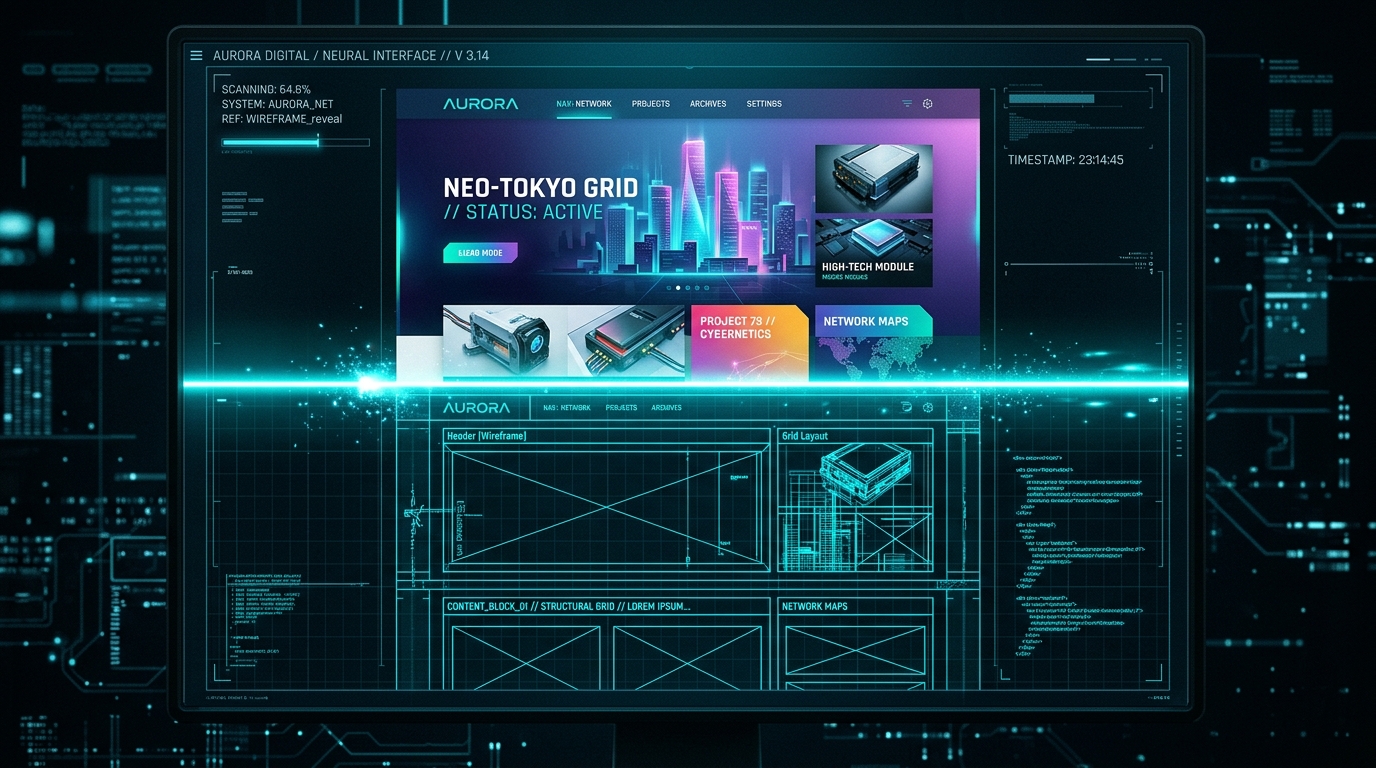
When you paste your URL into a tool like Redesignr, the first thing it does is visit your website — the same way a browser would.
It captures:
- A visual screenshot of your site (what it looks like to a visitor)
- The HTML structure (how the page is built — headings, paragraphs, images, links, buttons)
- CSS styling (your current colors, fonts, spacing, layout rules)
- Content (the actual text, images, and media on your pages)
This step is essentially the AI "reading" your website. It needs to understand what you have before it can decide what to change.
Step 2: The AI Analyzes Your Design
This is where the intelligence happens. The AI doesn't just see your site — it evaluates it against patterns from thousands of high-performing websites.
What it evaluates:
- Typography: Font family, size, weight, line height, contrast ratios. Is your body text readable? Are headings creating proper hierarchy?
- Color: Primary palette, accent usage, contrast, consistency. Are your colors cohesive or competing?
- Spacing: Padding, margins, section gaps. Is the layout cramped or does it breathe?
- Layout: Content structure, column usage, visual flow. Does the eye know where to go?
- Visual hierarchy: What stands out first? Are CTAs prominent? Is important information above the fold?
- Mobile readiness: How does the layout adapt? Are tap targets sized correctly?
- Conversion patterns: Where are your CTAs? Is social proof visible? Does the page guide visitors toward an action?
The AI isn't making aesthetic judgments ("this blue is ugly"). It's comparing your site against measurable standards that correlate with better engagement and conversion rates.
Step 3: The AI Applies Modern Design Standards
Based on the analysis, the AI generates a new design that preserves your content while upgrading the visual layer.
Typography Gets Upgraded
Old fonts get replaced with modern alternatives. If your site uses Arial or Open Sans at 14px, the AI might switch to Inter at 17px with increased line height. The heading-to-body size ratio gets adjusted for stronger hierarchy.
Spacing Expands
The most visible change. Modern design uses significantly more whitespace than was standard 3–5 years ago. The AI increases section padding, content margins, and breathing room. What felt "spacious" in 2021 feels cramped by 2026 standards.
Color Gets Refined
The AI doesn't throw out your brand colors — it refines how they're used. Competing colors get reduced. Your primary brand color becomes more intentional, used specifically for CTAs and key accents.
Layout Gets Restructured
Content blocks may get reordered for better flow. CTAs get repositioned to match high-converting patterns. Social proof moves closer to decision points.
Mobile Gets Rebuilt
Not just responsive (shrinking the desktop layout) — truly mobile-first. The AI generates layouts specifically designed for thumb-based navigation, with appropriate tap target sizes and touch-friendly interactions.
Step 4: Content Preservation
This is what separates AI redesign from AI website builders.
The AI doesn't generate new content. It doesn't invent new headlines or create placeholder text. It takes your actual content — your words, your images, your business information — and wraps it in a modern design.
What gets preserved:
- All text content (headlines, body copy, descriptions)
- Images and media
- Page structure and information hierarchy
- Links and navigation logic
- Brand identity signals (logo, primary colors, tone)
What changes:
- How the content is visually presented
- Typography and font pairings
- Spacing and layout proportions
- Color application and emphasis
- Button and CTA styling
- Overall visual polish
Your content is the foundation. The AI gives it a better frame.
Step 5: Output and Review
The AI delivers a complete redesigned version of your site. Depending on the tool, you get:
- Visual preview (see what the redesign looks like)
- Exportable code (HTML/CSS you can implement)
- Comparison view (side-by-side old vs. new)
This is where your judgment comes in. The AI did the heavy lifting, but you decide:
- Does the redesign align with your brand?
- Is the content hierarchy correct?
- Are CTAs in the right places?
- Does the mobile view work?
If something's off, you can regenerate or make targeted adjustments. The iteration cost is essentially zero — unlike traditional design where each revision means more billable hours.
What AI Redesign Can't Do
Understanding the limitations matters just as much:
- Create content from nothing. If your site has thin or missing content, the AI can't invent quality copy.
- Fix structural problems. If your information architecture is fundamentally wrong, the AI redesigns the existing structure — it doesn't restructure your business.
- Build custom functionality. Booking systems, calculators, membership portals — these require engineering, not design.
- Replace brand strategy. If you don't know your target audience or value proposition, a prettier design won't fix that.
When AI Redesign Works Best
The ideal scenario:
- Your site has solid content that serves your customers well
- The visual design has aged (3+ years old)
- Your brand identity is defined (you know your colors, voice, audience)
- You need results quickly
- Budget is limited or you want to allocate it to marketing instead of design
If this sounds like your situation, try Redesignr. You'll see exactly how your site looks when AI applies modern design standards to your existing content — in minutes, for free.
Conclusion
AI website redesign isn't mysterious. It's a systematic process: capture → analyze → modernize → preserve → deliver. Each step is grounded in measurable design principles and data from high-performing websites.
The result? A site that looks like you hired a professional designer, delivered in the time it takes to finish a cup of coffee.
Redesign websites with Redesignr.io
Paste any URL and get a modern, deploy-ready TailwindCSS redesign in 2 minutes. Free to preview.
