7 AI Website Design Tools Worth Using in 2026 (Honest Comparison)
Every tool claims to be the best. Here's what each one actually does well, where it falls short, and which one fits your specific situation.
Introduction
The AI website design space has exploded. Every platform now has an "AI" badge, and the marketing copy makes them all sound identical — "build a website in seconds with AI!"
The reality is more nuanced. These tools solve different problems. Some build sites from scratch. Some redesign existing sites. Some give you full control. Some give you none. Picking the wrong one wastes your time and money.
Here's what each tool actually does, who it's for, and where it falls short — no hype, no affiliate rankings.
How I'm Comparing These
I evaluated each tool on six things:
- Design quality — Does the output actually look good?
- Speed — How fast from zero to a usable result?
- Customization — How much control do you have after the AI generates something?
- Who it's for — Beginners? Developers? Businesses with existing sites?
- Pricing — What does it actually cost, including hidden fees?
- The catch — Every tool has one
1. Redesignr — Best for Redesigning an Existing Website
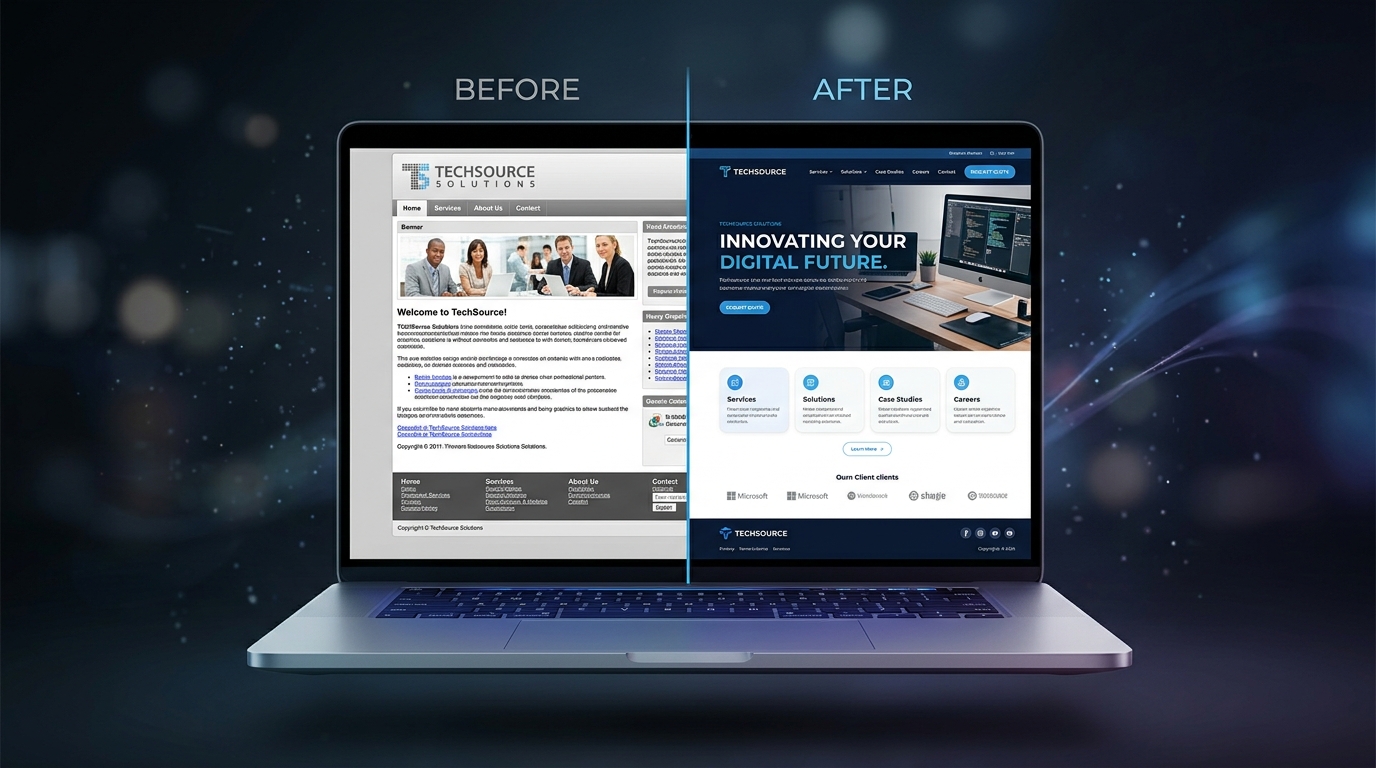
What it does: You paste your existing website URL, the AI analyzes your current design — layout, content, colors, typography — and generates a modernized version using current standards.
This is fundamentally different from every other tool on this list. Everything else builds from scratch. Redesignr starts with what you already have and makes it better.
What it does well:
- Preserves your content and brand while modernizing the visuals
- Results in minutes, not hours
- Applies 2026 design conventions: whitespace, typography, color, hierarchy
- Also offers a free audit tool that scores your site across design, UX, and SEO
- No design skills needed
Where it falls short:
- Not a website builder — it won't create a site from nothing
- Custom functionality (booking systems, membership portals) still needs a developer
Pricing: Free tier to test. Paid plans for full access and exports.
Best for: Anyone with an existing website that looks dated but has solid content. Small businesses, solopreneurs, agencies doing client mockups.
2. Framer — Best for Startups and Marketing Teams
What it does: Framer is a visual website builder with AI-assisted page generation. You describe what you want, and it generates a layout you can then customize.
What it does well:
- Beautiful output quality — some of the best-looking AI-generated sites
- Smooth animations and interactions built in
- Fast hosting with good performance
- Strong component library and community templates
Where it falls short:
- Steeper learning curve than Wix or Squarespace
- CMS functionality feels limited compared to WordPress
- AI generates a starting point — you'll spend time customizing from there
- Gets expensive at scale with CMS items
Pricing: Free plan available. Pro starts at $15/month.
Best for: Startups, product companies, and marketing teams who want high-quality output and are willing to invest time learning the tool.
3. Wix AI — Best for Beginners
What it does: Wix's AI builder asks questions about your business, then generates a complete site with pages, sections, images, and placeholder content.
What it does well:
- Genuinely beginner-friendly — anyone can use it
- All-in-one (hosting, domain, email, analytics)
- App marketplace for added functionality
- Generates a functional starting point quickly
- Strong built-in SEO tools
Where it falls short:
- Templates look like templates — your site will resemble thousands of others
- Performance suffers as you add apps and features
- Can't export your site if you want to leave
- Free plan shows Wix ads
Pricing: Free with Wix branding. Paid plans from $17/month.
Best for: People building their first website. Local service businesses that need something live quickly with zero technical knowledge.
4. Squarespace — Best for Visual-First Portfolios
What it does: Squarespace has always been the platform for people who care deeply about aesthetics. Their AI features help generate content and suggest layouts, though the core experience is template-driven.
What it does well:
- The best-looking templates in the industry
- Excellent for portfolios, photography, and creative businesses
- Built-in e-commerce that actually works
- Great typography and image handling
- Strong blog functionality
Where it falls short:
- AI features are assistive, not generative — it won't build a complete site for you
- Less flexible than Framer or Webflow for custom layouts
- Limited integrations compared to WordPress
- Can feel restrictive when your needs go beyond the template
Pricing: Plans from $16/month.
Best for: Photographers, designers, artists, restaurants, and anyone whose website is primarily a visual showcase.
5. Webflow — Best for Developers and Agencies
What it does: Webflow is a visual development platform with near-complete control over HTML, CSS, and layout — without writing code. AI features assist with content generation and layout suggestions.
What it does well:
- Full CSS control in a visual editor — closest to hand-coded output without coding
- Excellent CMS for content-heavy sites
- Clean, semantic HTML output
- Strong performance when built properly
- Great client handoff features for agencies
Where it falls short:
- Steep learning curve — not a beginner tool
- AI features are relatively basic compared to purpose-built AI tools
- Pricing gets complex with CMS plans, e-commerce, team seats
- Overwhelming for simple projects
Pricing: Free plan available. Paid from $14/month.
Best for: Web developers, design agencies, and anyone who wants pixel-perfect control and is willing to invest time learning.
6. Durable — Best for Getting Online Fast
What it does: Durable generates a complete website from a single sentence. Type "plumber in Austin, Texas" and you'll have a live site in literally 30 seconds.
What it does well:
- Fastest time-to-live of any tool on this list
- Built-in CRM and invoicing for service businesses
- AI generates copy that's actually usable
- Extremely simple — almost zero decisions to make
Where it falls short:
- Very limited customization
- Design quality is functional, not impressive
- Not suitable for complex businesses or e-commerce
- Sites look similar to each other
Pricing: From $12/month after a free trial.
Best for: Solo service providers (plumbers, consultants, coaches) who need a basic web presence immediately and don't need anything fancy.
7. Hostinger AI — Best Budget All-In-One
What it does: Hostinger's website builder uses AI to generate sites from your business description. It's bundled with their hosting plans — cheap, fast, functional.
What it does well:
- Very affordable — builder included with hosting
- AI generates a full site with pages and content
- Includes hosting, domain, and email in one package
- Good for simple sites that need to be up quickly
Where it falls short:
- Design quality is average
- Limited advanced features
- AI output needs significant manual tweaking to look polished
- Not ideal for businesses that will outgrow the platform
Pricing: From ~$3/month with long-term hosting plans.
Best for: Budget-conscious users who need hosting + a basic website in one affordable package.
Quick Comparison
| Tool | Best For | Starting Price | AI Strength | Customization |
|---|---|---|---|---|
| Redesignr | Redesigning existing sites | Free / $29+ | Analyzes & modernizes your site | Medium |
| Framer | Startups, marketing sites | Free / $15/mo | Layout generation | High |
| Wix AI | Beginners, local businesses | Free / $17/mo | Full site generation | Medium |
| Squarespace | Portfolios, creatives | $16/mo | Content assist | Medium |
| Webflow | Developers, agencies | Free / $14/mo | Content & layout assist | Very High |
| Durable | Quick service business sites | $12/mo | Full site in 30 seconds | Low |
| Hostinger | Budget all-in-one | ~$3/mo | Full site generation | Low–Medium |
Which One Should You Use?
Skip the analysis paralysis. Answer one question first:
Do you already have a website?
- Yes, and it just looks dated → Redesignr — it'll modernize what you have without starting over
- Yes, and I need to rebuild from scratch → Framer (if you want quality) or Wix (if you want easy)
Building from scratch?
- Need it live in 5 minutes → Durable
- Want it to look great and willing to invest time → Framer or Squarespace
- Want full control → Webflow
- Need the cheapest option → Hostinger
There's no single best tool. There's only the best tool for your situation right now.
Conclusion
The AI website design market has matured fast. The biggest gap still — one most tools don't address — is redesigning existing websites. Building from scratch is the easy problem. Taking a real site with real content and making it look like it belongs in 2026? That's what Redesignr was built for.
Figure out whether you need to build or rebuild. The right tool follows from that answer.
Redesign websites with Redesignr.io
Paste any URL and get a modern, deploy-ready TailwindCSS redesign in 2 minutes. Free to preview.
